Set Up Automatic Periodic Reports
How to Set Up Periodic Reports to Send to Clients
Sunreport automatically generates and sends a monthly report of the photovoltaic system.
From the “Report” section in the plant menu (on the left), you can access all settings.
Here, you can enable automatic sending and enter the recipients’ email addresses.
You can freely add recipient emails in the Sending Settings section.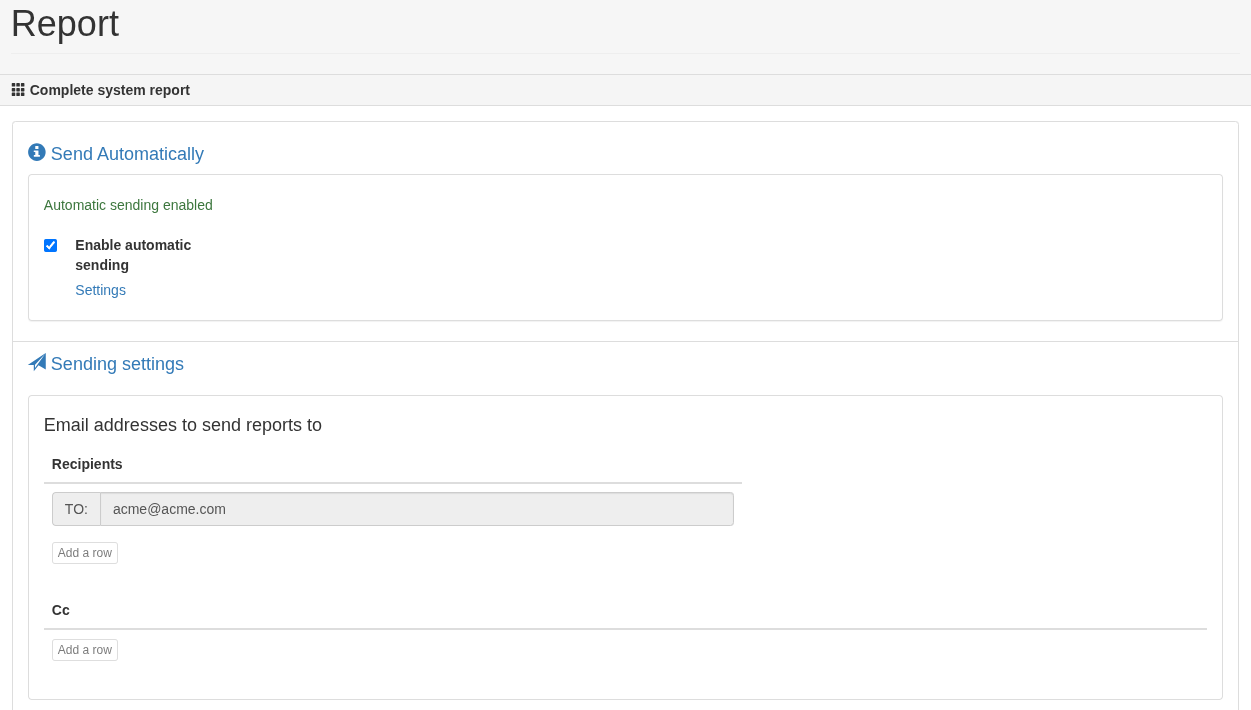
After entering the recipients’ emails, you’ll be able to select the option enable automatic sending for the periodic report.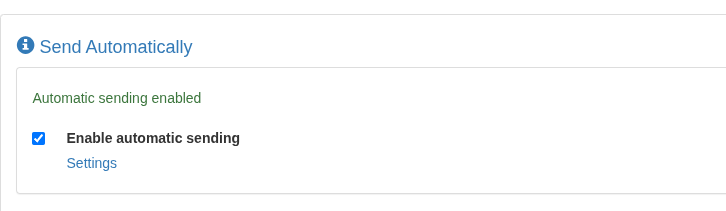
By clicking on Options, you can choose to send the report only if updated (skip sending if the previous month’s data hasn’t been updated), or to suspend sending (until re-enabled).
Reports enabled for automatic sending will be sent by the system on the 25th of each month, unless there is a delay in the data updates provided.
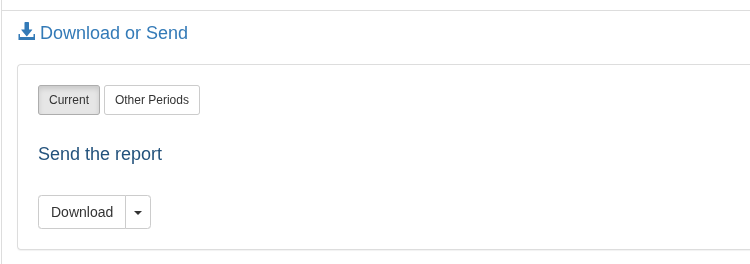
You can also manually download the report for the desired period from the Download or send section.
The report is in PDF format and can also be downloaded in an editable format by clicking the small arrow next to the Download button.
In the Sent Reports section, you can view a summary of all reports that have been sent.
A complete summary of all active and sent reports — with the option to enable conditional sending (based on data availability) or suspend reports — is found inSettings (top menu) > Report Status
Report Format Sent to Recipients
Sunreport is a truly innovative system for monitoring photovoltaic systems.
It sends data on system production, compares it to local weather, and provides all the technical and economic information needed to understand system performance.
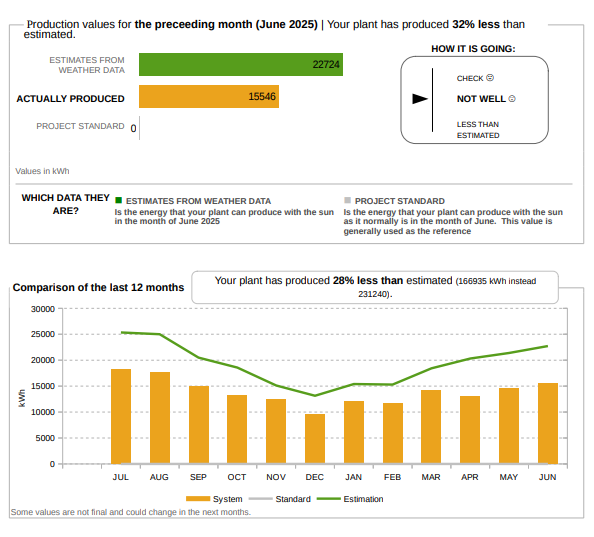
The image shows the system’s monthly and yearly production compared to two different curves.
The gray curve reflects expected production based on historical weather data (for statistical purposes), while the green curve is more meaningful because it uses actual weather data collected via satellite.